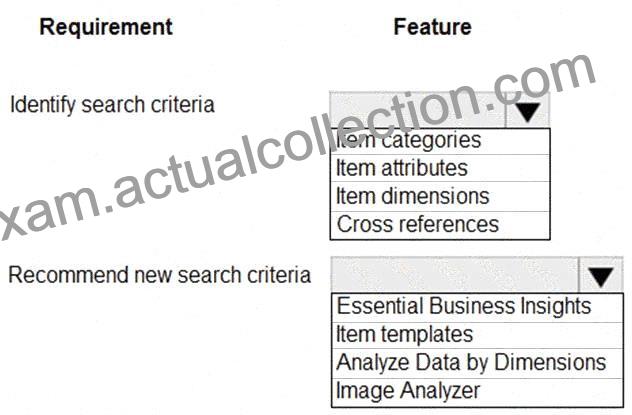
NO.30 A furniture manufacturing company is creating new items in Dynamics 365 Business Central. The company currently searches for the products by material, color, and size.
You must expand the search capabilities for the items. Not all the items will have the same searchable characteristics. Some new search characteristics may need to be added.
You need to configure the system to automatically recommend additional search criteria for items.
Which features should you use? To answer, select the appropriate options in the answer area.
NOTE: Each correct selection is worth one point.
Explanation:
Comprehensive Detailed Explanation
In Dynamics 365 Business Central, when you want to expand the search capabilities for items:
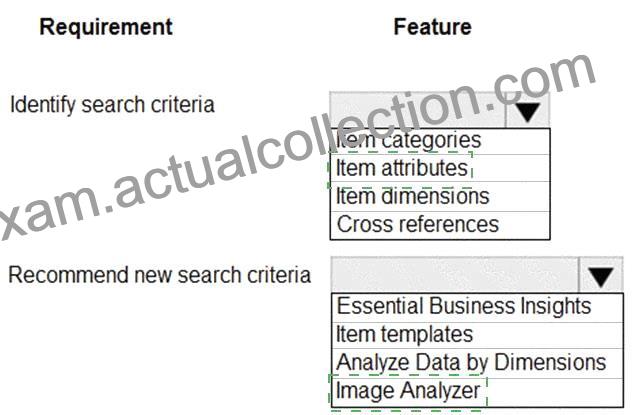
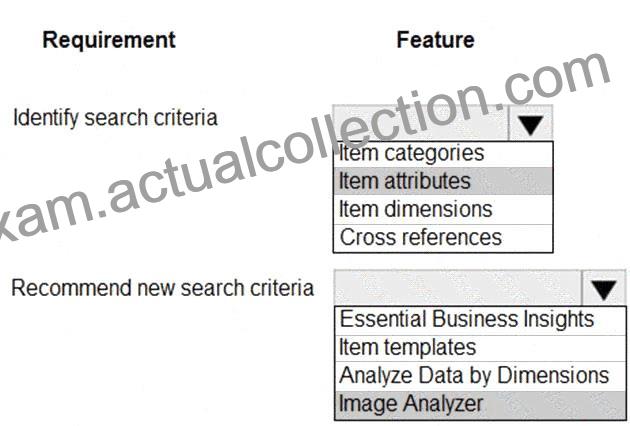
* Identify search criteria # Item attributes
* Attributes such as material, color, size can be set up as Item Attributes.
* Each item can have different attributes assigned, making it easy to filter/search items by those criteria in the Item List or documents.
* This is preferable to Item Categories or Dimensions because attributes are designed specifically for flexible product characteristics.
* Recommend new search criteria # Image Analyzer
* The Image Analyzer extension uses AI to analyze an item’s image and automatically recommend attributes such as color, material, or even whether the product is furniture, electronics, etc.
* This makes it easier to maintain consistent searchable attributes across items.
Other options (not correct):
* Item categories: Group items hierarchically but not granular search by characteristics.
* Item dimensions: Used for financial tracking, not for product attributes.
* Cross references: Used for vendor/customer-specific item numbers.
* Item templates: Help speed up item creation, but not for recommending search criteria.
* Essential Business Insights / Analyze Data by Dimensions: Analytical tools, not related to product search attributes.
Microsoft Learn References
* Work with Item Attributes
* Set up and use Image Analyzer